Creating a Trunk
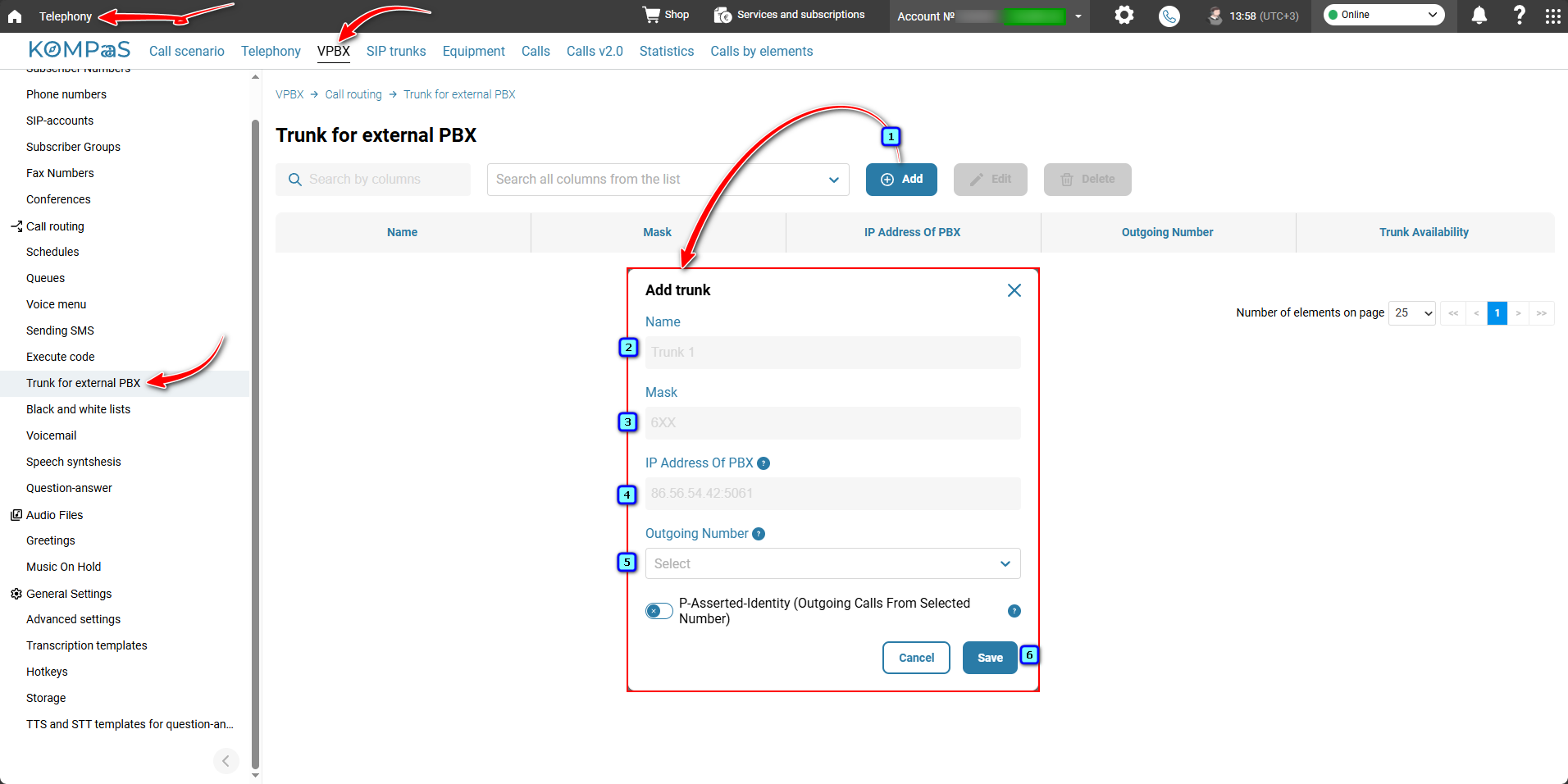
Go to 'Telephony' → 'VPBX' tab → 'Trunk for external PBX' and click the 'Add' button.
Name — a descriptive name for the trunk that allows you to distinguish it from other trunks if several are configured.
Mask — defines a shared extension numbering system and divides the extension numbers between the two PBXs. The 'X' character is used for this purpose.
IP Address Of PBX — the IP address of the third-party PBX.
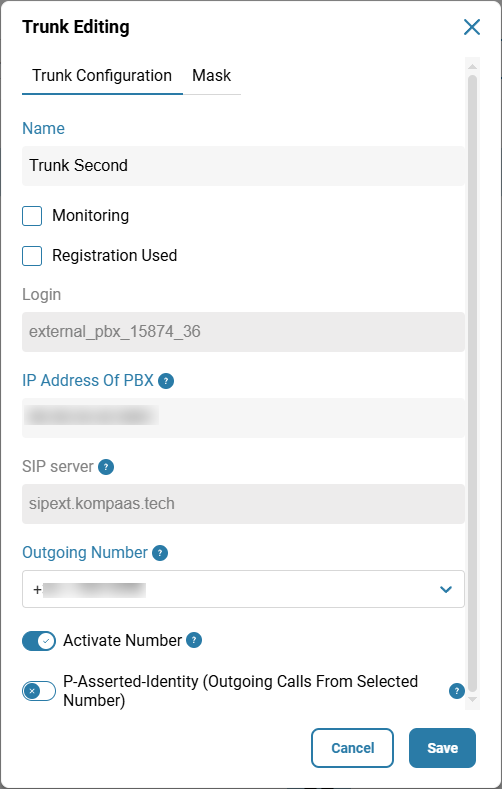
SIP server — the SIP server address is set by default.
Outgoing Number — this number is used for outgoing calls when an extension registered on the third-party PBX makes a call through our VPBX.
P-Asserted-Identity (Outgoing Calls From Selected Number) — enables the selected phone number to be sent with outgoing calls through the external PBX.
Editing a Trunk
'Trunk Configuration' tab:
'Registration Used' — generates a username and password when you select the checkbox and click 'Save'.
The 'Monitoring' option allows you to check the availability of the third-party trunk. Its status is displayed in the 'Trunk Availability' column:
Grey — the trunk is not connected and unavailable;
Red — the trunk is connected but unavailable;
Green — the trunk is connected and available.
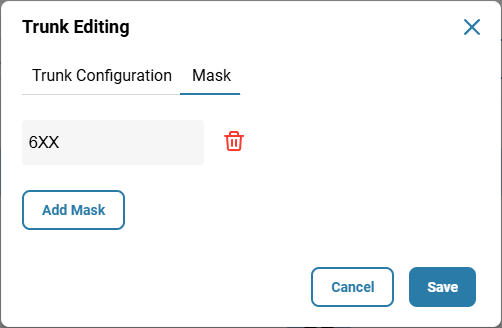
'Mask' tab — edit existing masks and add new ones.
6xxx means that any extension dialed with a prefix of '6' will be routed to the numbering plan of the third-party PBX. In this example, extensions on the third-party PBX must also begin with '6'. If the mask is '6xxx.' (with a period at the end), extensions of any length will be matched. You can combine any number of 'x' characters with any digits before them.
Was this article helpful?
That’s Great!
Thank you for your feedback
Sorry! We couldn't be helpful
Thank you for your feedback
Feedback sent
We appreciate your effort and will try to fix the article