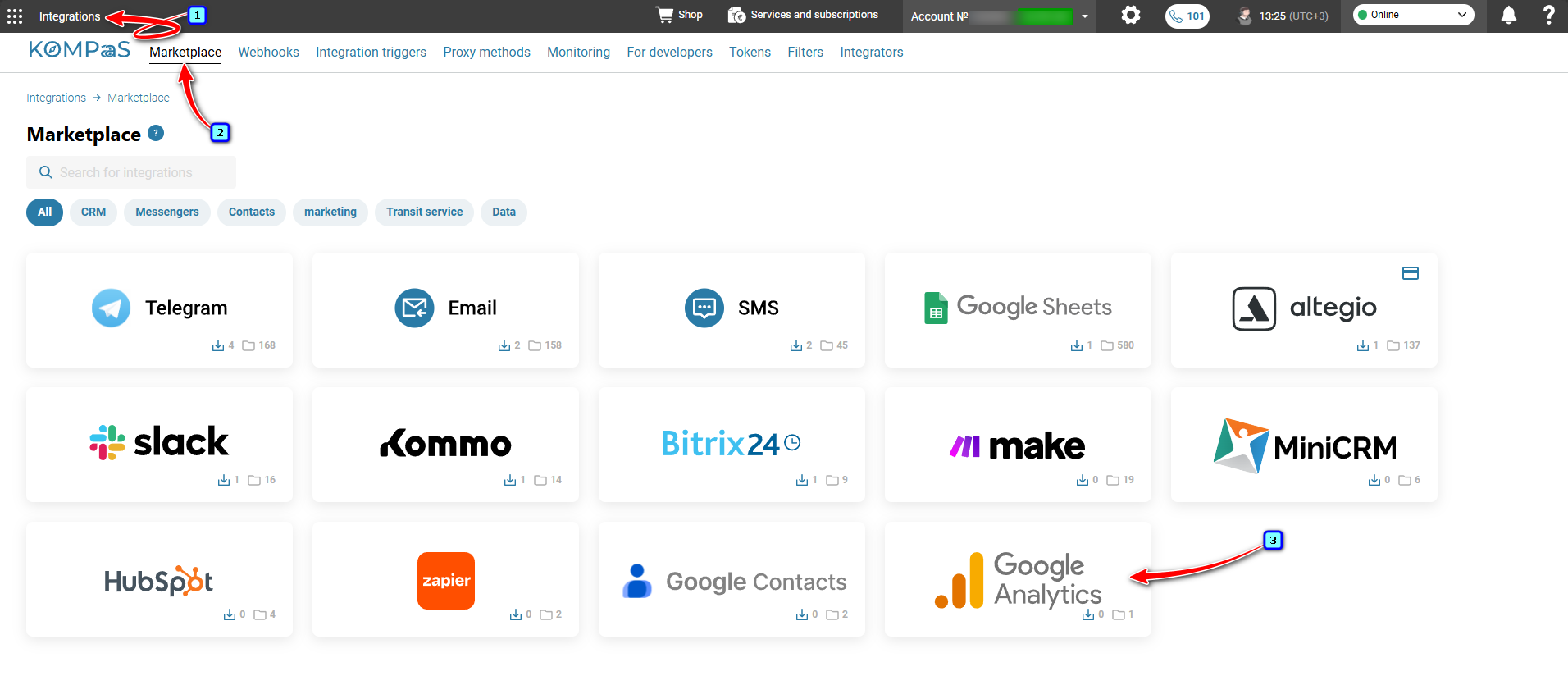
Log in to your KOMPaaS account → go to the 'Integrations' section → 'Marketplace' tab and click the 'GoogleAnalytics' block.
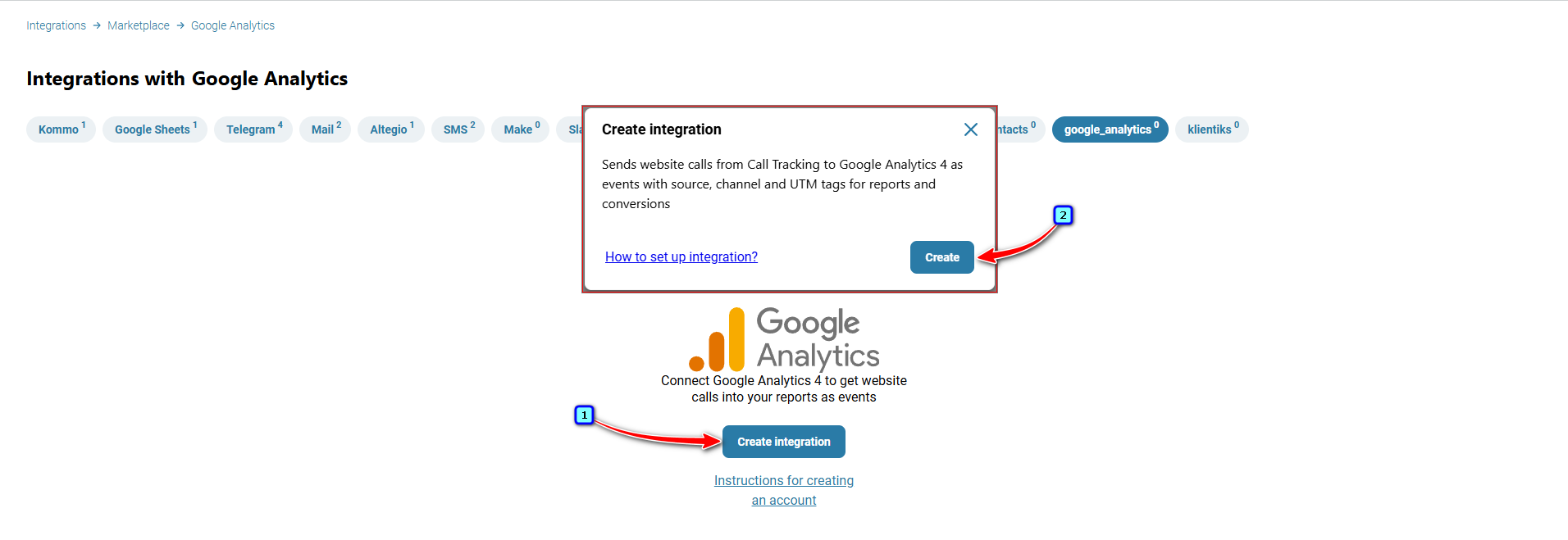
Click 'Create integration' → then click 'Create'.
Next, enter the following information in the integration settings and click 'Save':
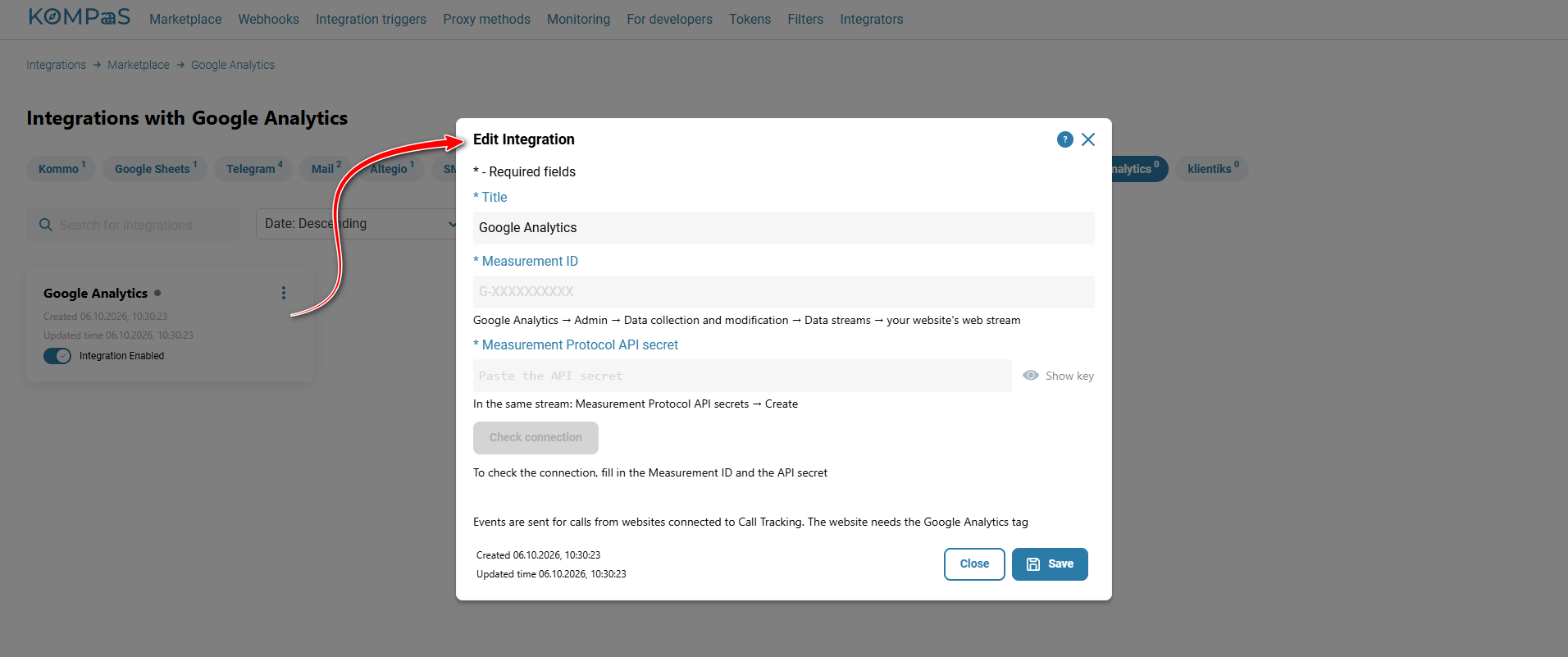
Measurement ID — The data stream ID can be found in the Admin section → in the top-right corner;
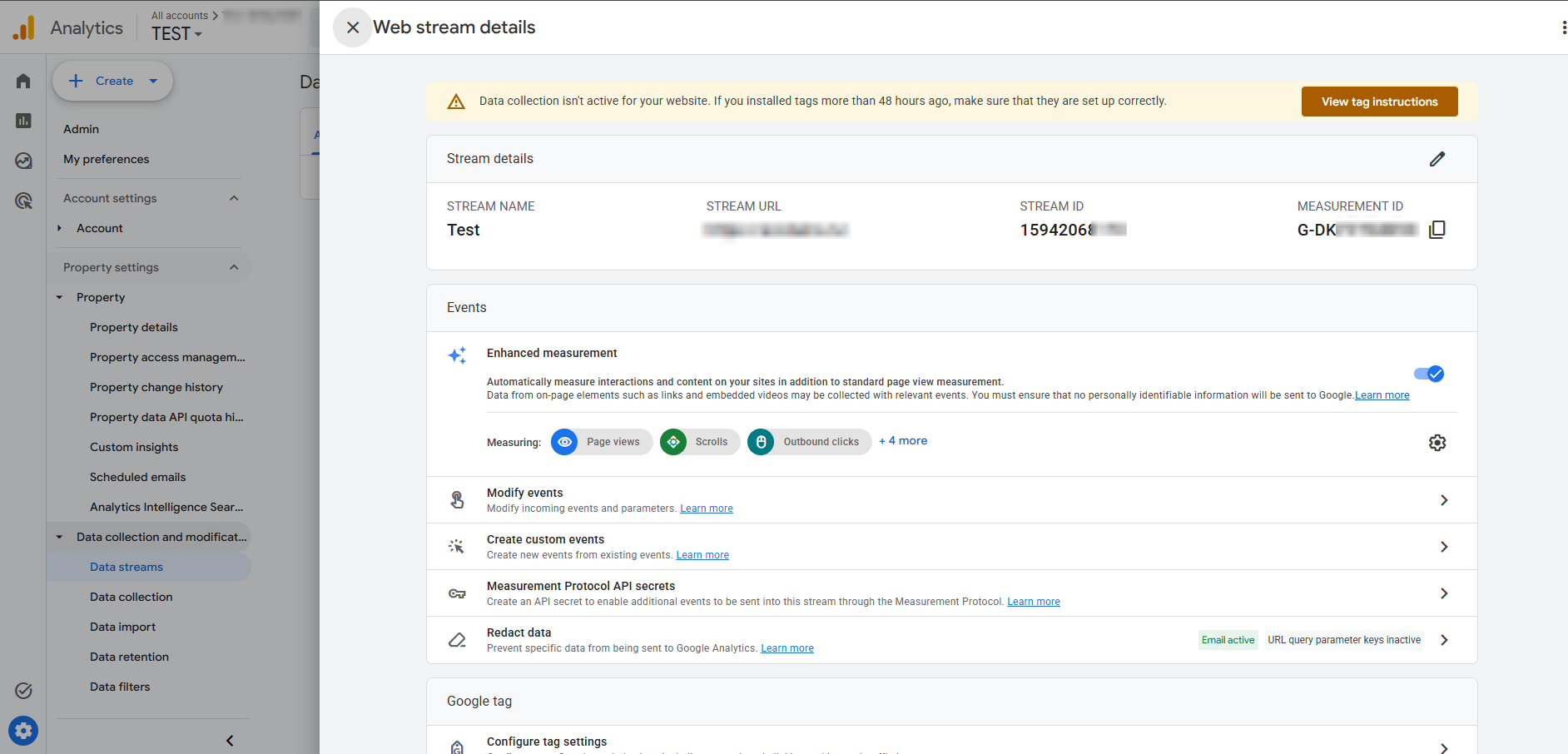
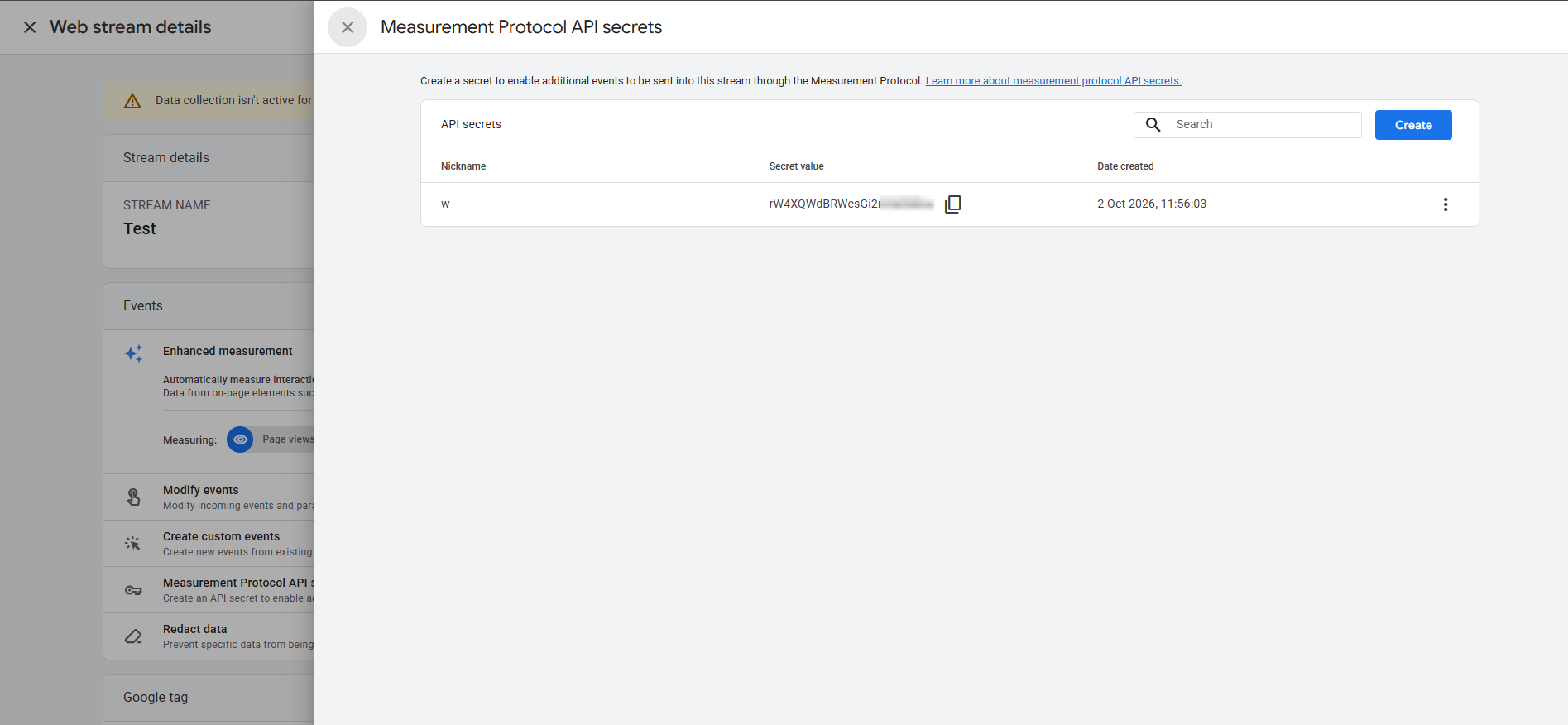
Measurement Protocol API secret — The token can be found in the Admin section → Measurement Protocol API secrets.
The integration is now configured. When a call is made from a website with KOMPaaS call tracking installed, the data will be sent to Google Analytics.
Was this article helpful?
That’s Great!
Thank you for your feedback
Sorry! We couldn't be helpful
Thank you for your feedback
Feedback sent
We appreciate your effort and will try to fix the article