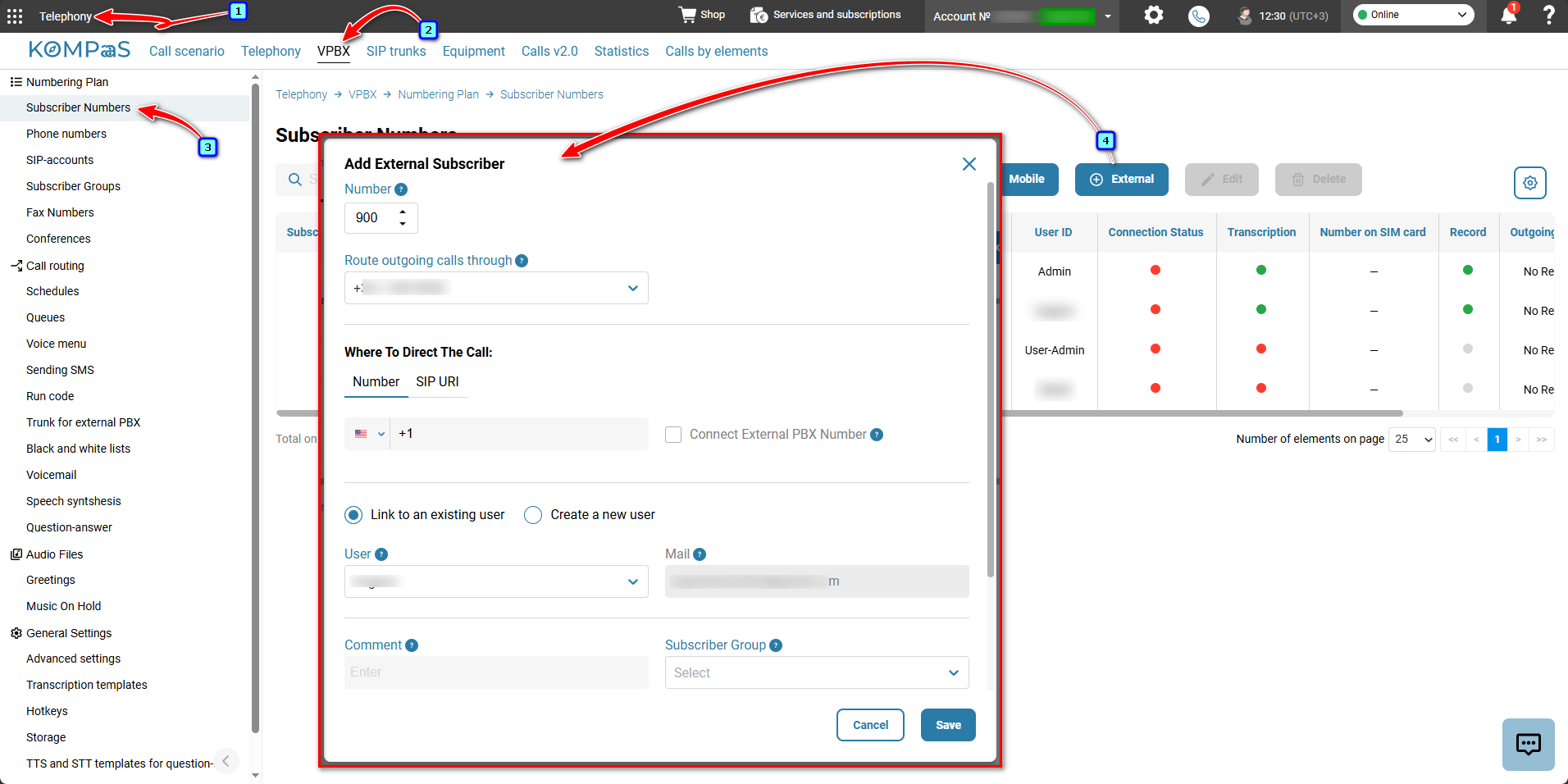
Go to 'Telephony' → 'VPBX' tab → 'Subscriber Numbers' in the left-hand menu → 'Subscriber Numbers' and click 'External'.
In the 'Add External Subscriber' modal window, specify the parameters:
Number — Virtual PBX subscriber number;
Route outgoing calls through — select a number;
Connect External PBX Number — your telephone system or one hosted by a provider.
Where To Direct The Call:
Number — phone number of the external operator.
SIP URI — unique address in the sip:name@domain format. For more information, see 'Connecting and configuring SIP URI'.
Subscriber Group — select the group whose settings will be applied to the subscriber. For more information, see 'Subscriber Groups';
Record all calls — select the checkbox to enable recording. For more information, see 'Call recording';
Comment — your comment;
✅Note: Transcription works only with 'Call recording'. To enable it, see 'How to enable 'Call Recording'.Display the phone number of the forwarded caller — select the checkbox to display the customer's number when forwarding (option enabled) or the company's number (option disabled).
After configuring the settings, click 'Save'.
Also see:
Was this article helpful?
That’s Great!
Thank you for your feedback
Sorry! We couldn't be helpful
Thank you for your feedback
Feedback sent
We appreciate your effort and will try to fix the article