The 'Black and white lists' element allows you to route calls at the selected stage of the scenario depending on the caller's phone number, region, operator, or city.
For information on how to create lists, see 'How to set up 'Black and White lists'.
To add the 'Black and white lists' element:
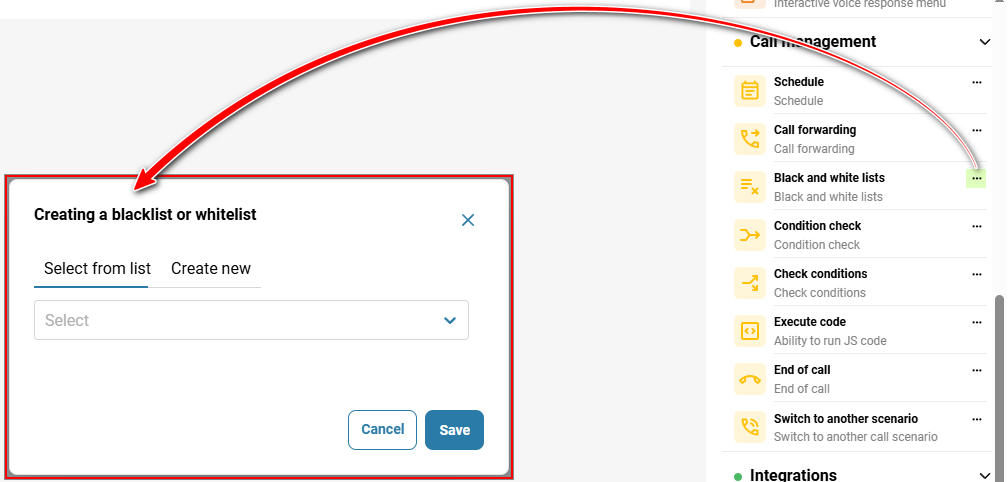
In the 'Telephony' → section, 'Call scenario' → tab → on the right, in the sidebar, click the three-dot icon next to the 'Black and white lists' element.
Select a list;
Click the 'Save' button.
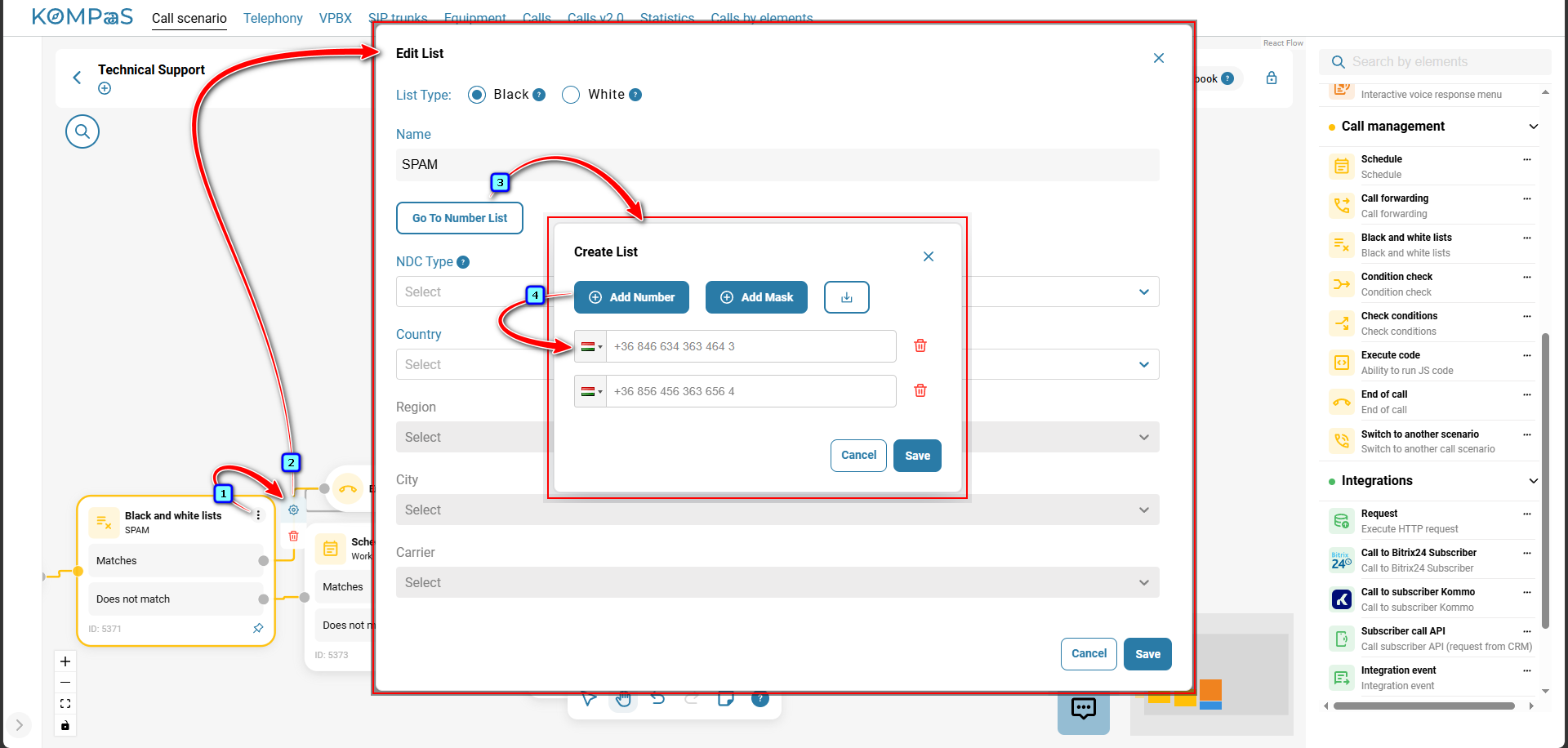
To edit the element, click the gear icon.
Also see:
Was this article helpful?
That’s Great!
Thank you for your feedback
Sorry! We couldn't be helpful
Thank you for your feedback
Feedback sent
We appreciate your effort and will try to fix the article