Authenticator (Time-based One-Time Password) is a two-factor authentication method where one-time codes are generated by a special application on your device (such as Google Authenticator, Microsoft Authenticator, Authy, etc.) based on the current time and a secret key.
- The code is automatically updated every 60 seconds.
- The code is not transmitted over the network (email / SMS), but is created locally in the application — this increases the level of security.
- No internet connection is required for operation (after initial setup).
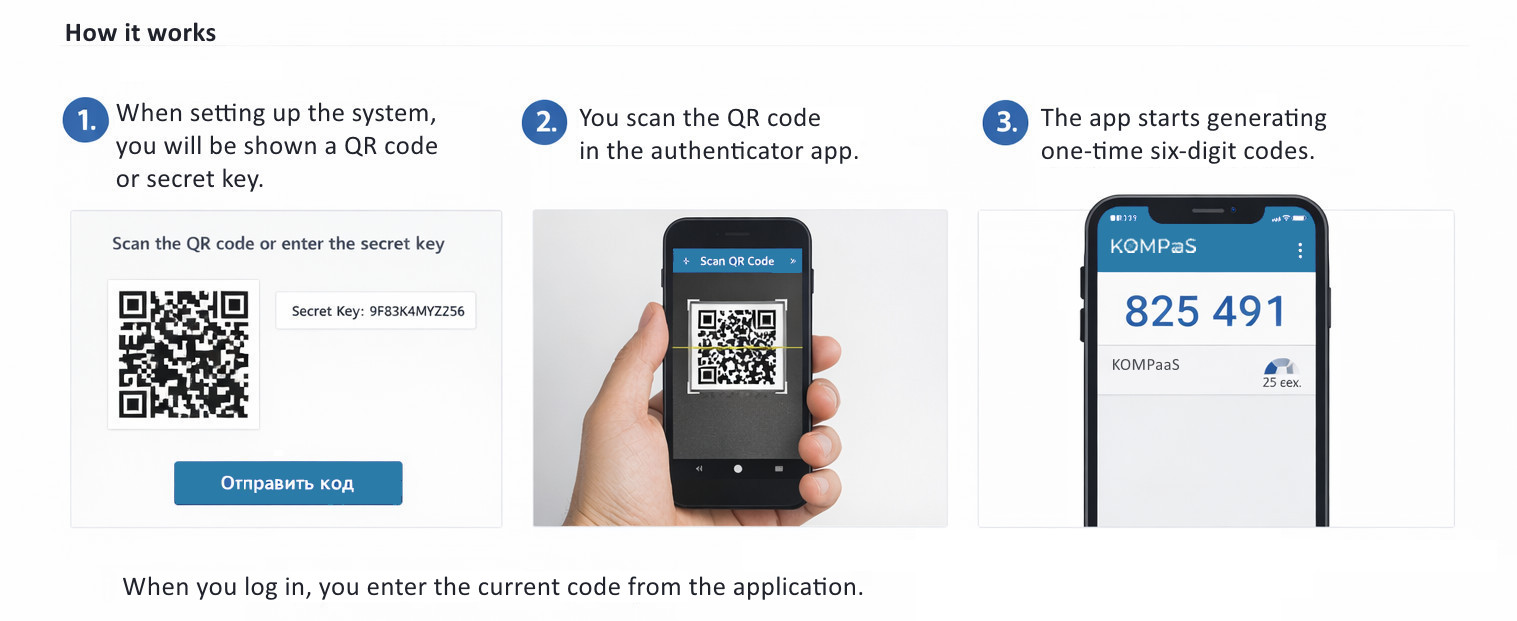
How it works:
During system setup, a QR code and secret key will be displayed in a modal window.
To activate the authenticator application — scan the QR code or use the secret key.
After clicking the 'Login via authenticator' button, the window will change to entering a 6-digit code from the extension (the code must be installed in advance).
To select the login mode — in the top menu on any personal account page, click on the profile icon, then on the 'Authorisation type' tab. For more details, see 'Setting up the Authenticator'.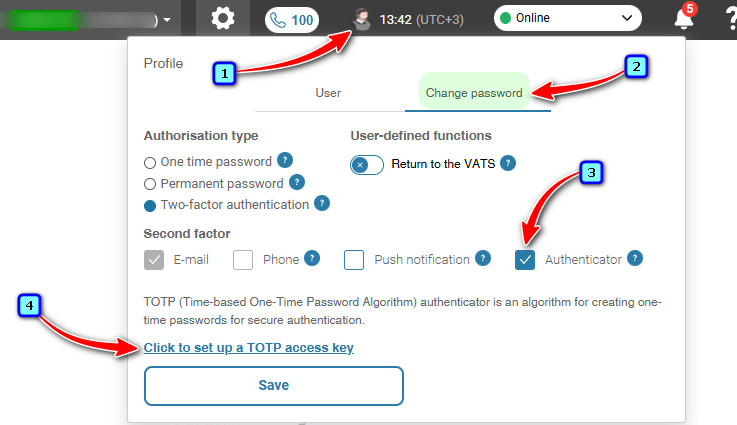
See also:
Was this article helpful?
That’s Great!
Thank you for your feedback
Sorry! We couldn't be helpful
Thank you for your feedback
Feedback sent
We appreciate your effort and will try to fix the article