'Tags' — allow you to mark a subscriber to simplify classification, track interactions, and personalize service.
To add a new tag:
- Go to ‘Contact Center AI’ → ‘Dialogs’ → ‘Project Settings’ project drop-down menu.

- Then select Project and go to the 'Tags' tab.
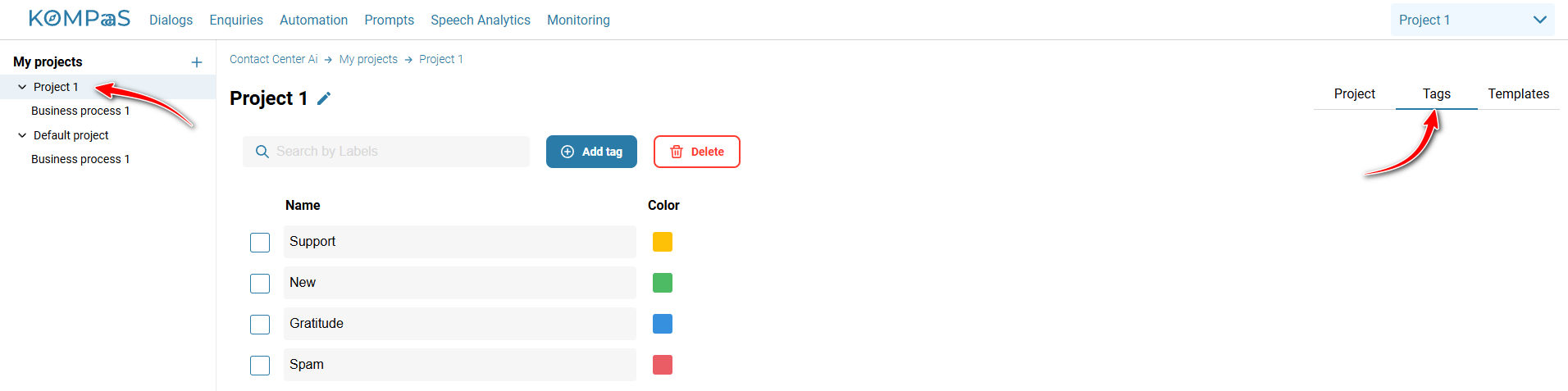
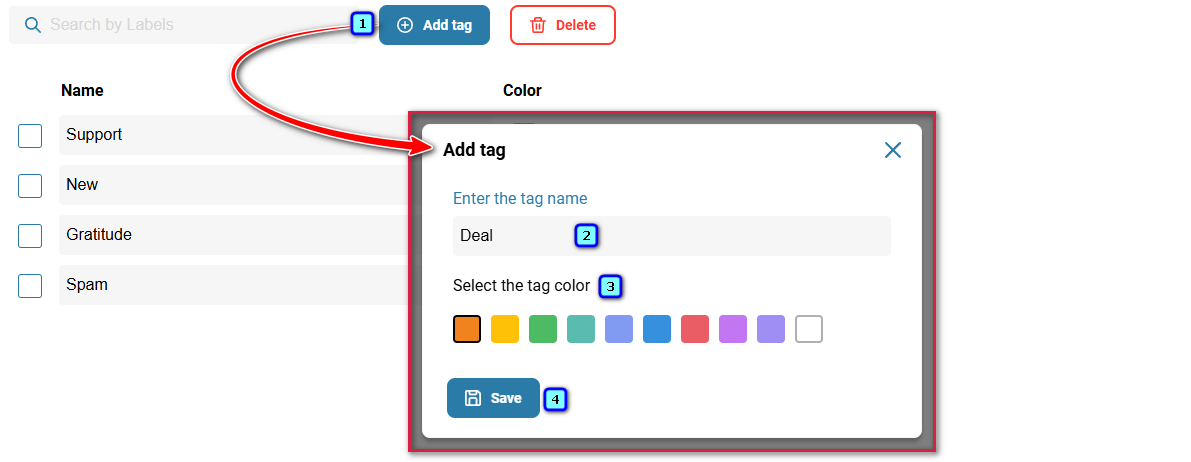
- Click 'Add tag'.
✅Note:
The number of tags is unlimited.
- Enter the tag name.
- Choose the tag color and click 'Save'.
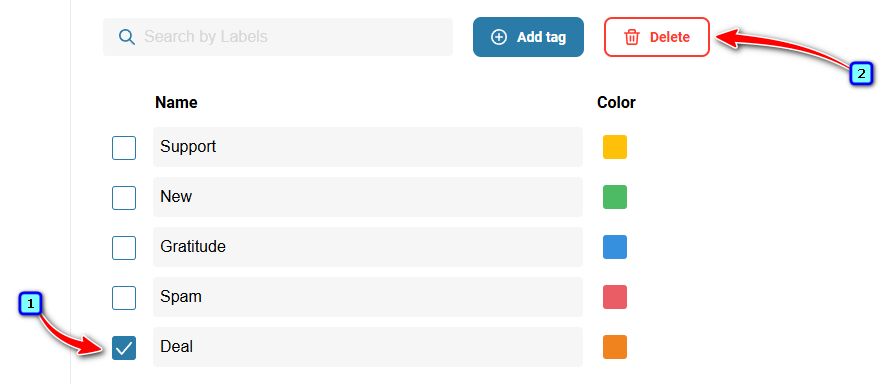
To delete an unused tag, check the box to the left of the status and click the 'Delete' button.
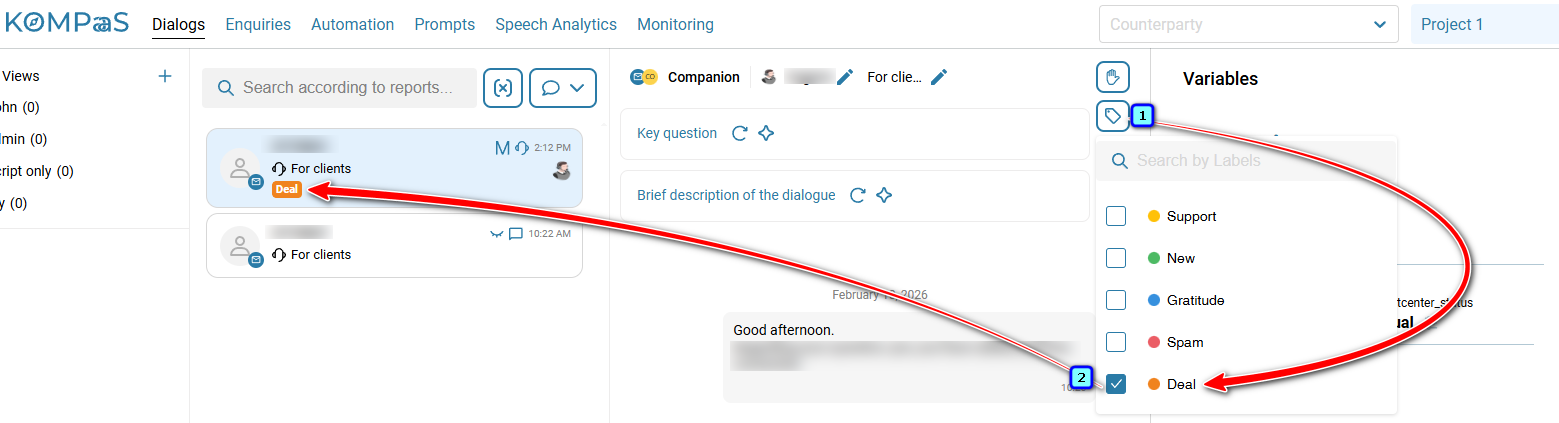
Tags are assigned in the 'Dialogs' section.
Also see:
Was this article helpful?
That’s Great!
Thank you for your feedback
Sorry! We couldn't be helpful
Thank you for your feedback
Feedback sent
We appreciate your effort and will try to fix the article