Voicemail is a feature that allows subscribers to leave voice messages when an agent is unable to answer a call or when a subscriber cannot reach the intended subscriber. Voice messages can be stored in the system and made available for playback at any convenient time.
The element is useful for improving customer service, as it allows subscribers to leave messages even when no agents are currently available.
To add the element to a call scenario:
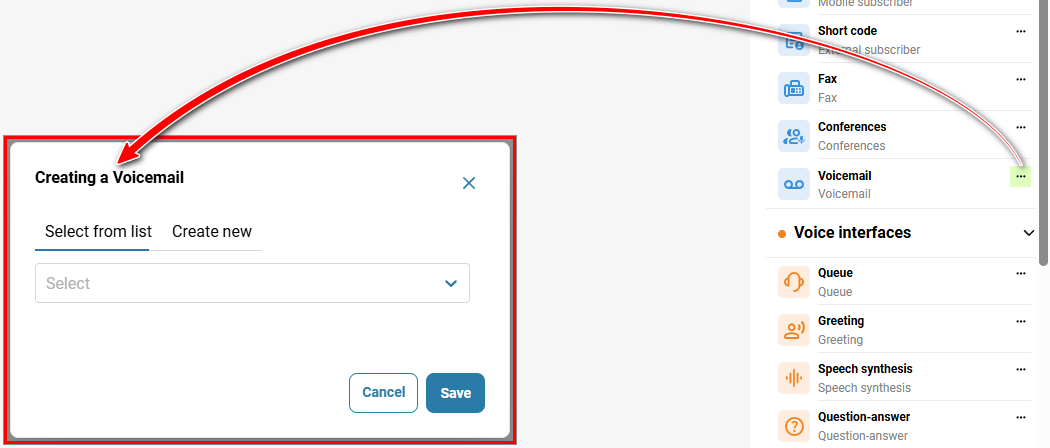
In the 'Telephony' → section, 'Call scenario' tab → on the right, in the sidebar, click the three-dot icon next to the 'Voicemail' element.
Select a voicemail option.
Click the 'Save' button.
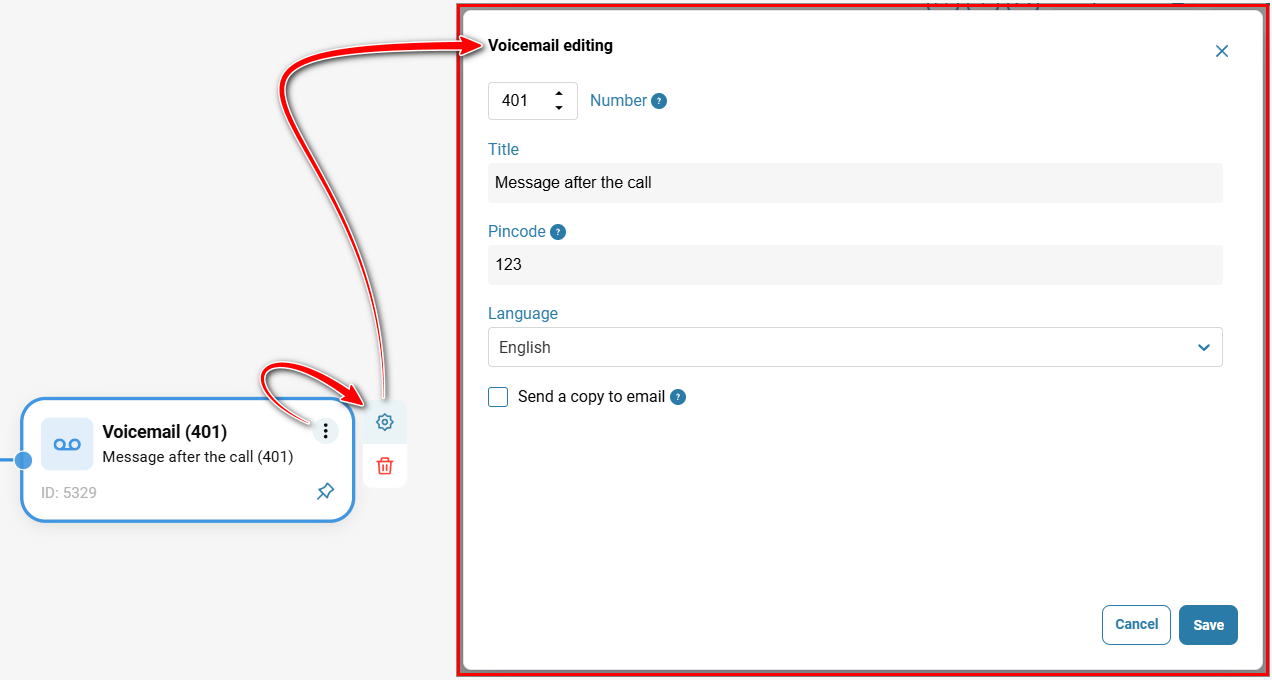
To edit the element, click the three-dot icon on the element, then click the gear icon.
Was this article helpful?
That’s Great!
Thank you for your feedback
Sorry! We couldn't be helpful
Thank you for your feedback
Feedback sent
We appreciate your effort and will try to fix the article