Black and white lists allow calls to be routed based on the caller's phone number, region, carrier, or city.
Using blacklists:
Unwanted calls can be rejected. For example, when someone calls the company's number, the caller will hear a 'Busy' tone or a voice message.
Calls can be blocked from phone numbers associated with malicious activity, as well as from specific regions.
Using whitelists, you can:
Identify important customers and route their calls to dedicated account managers. If a call comes from a number included in a whitelist, it can be handled according to specific rules, for example, by transferring it to an employee who works with the most important customers.
If the company operates in several regions, route calls from those regions to employees who work directly with them.
Route calls from specific numbers or regions to dedicated voice menus configured specifically for those numbers or regions, play customized greetings for them, and apply specific call routing rules.
Accept calls only from customers included in whitelists and reject all other calls or route them to voicemail. This can be useful, for example, for receiving important calls at night (using a schedule).
Black and white lists can be created based on the following criteria:
Phone numbers or number ranges (masks);
The country from which the call originates;
The region from which the call originates;
The city from which the call originates;
The carrier serving the number from which the call originates;
The NDC type associated with the incoming call.
The most common configurations are:
A list containing only subscriber numbers (for example, when creating a blacklist of spam callers).
A list containing only cities (for example, for automatically routing calls to regional offices).
Depending on these criteria, calls are routed to the appropriate destination for the subscriber (a queue or voice menu) or rejected.
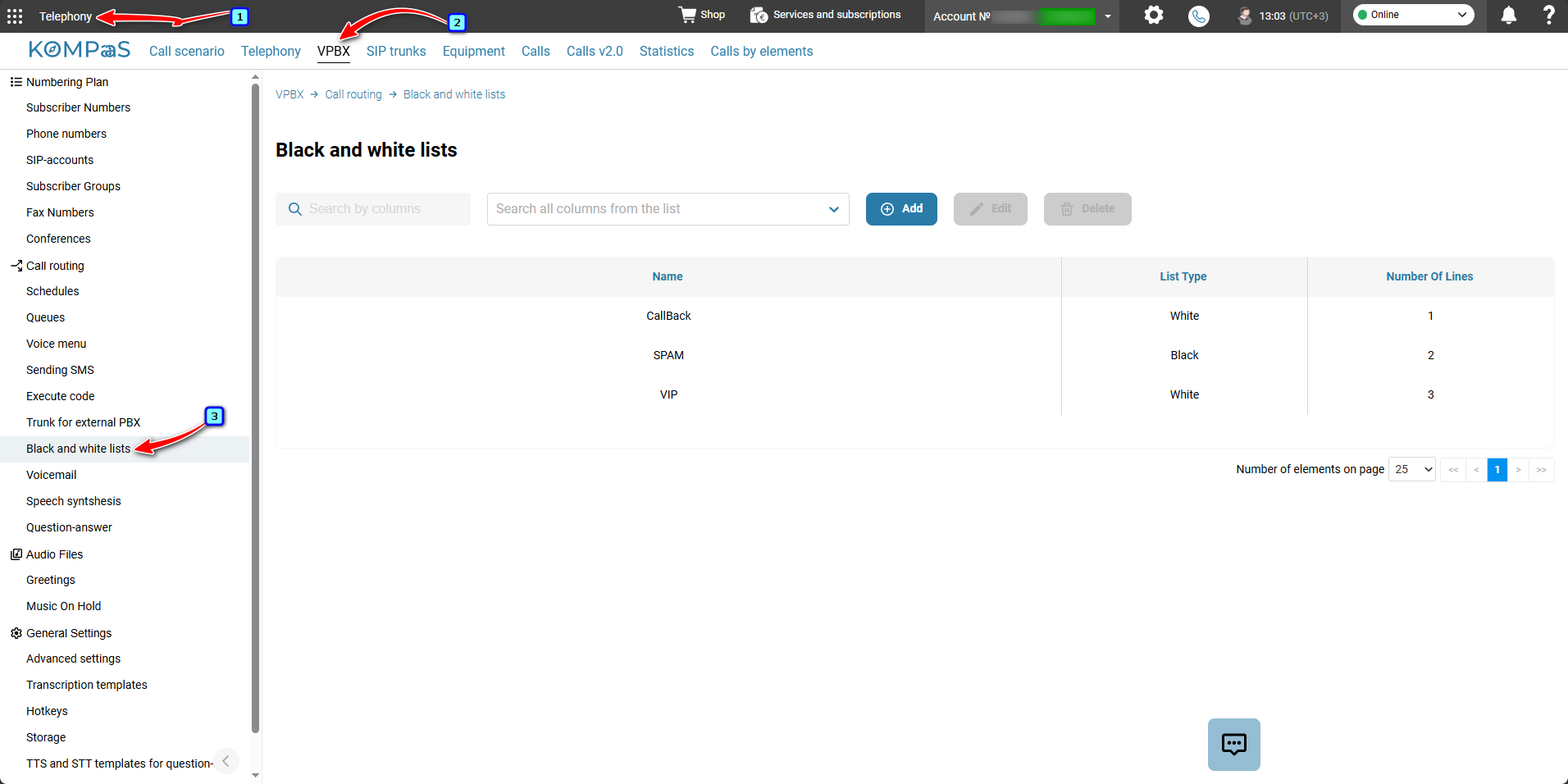
The rules for 'white' and 'black' lists are configured in 'Telephony' → 'VPBX' tab → 'Call routing' menu on the left → 'Black and white lists'.
Also see:
'Black and white lists' Element
Was this article helpful?
That’s Great!
Thank you for your feedback
Sorry! We couldn't be helpful
Thank you for your feedback
Feedback sent
We appreciate your effort and will try to fix the article